

If you are reading this, you probably have a product, a few customers or early users, and a nagging question: how do we get in front of more of the right buyers, in a way we can repeat?
That is what a go-to-market (GTM) plan answers. This guide walks through the whole thing in plain language, from choosing your ideal customer to running a 90-day plan, with simple templates you can copy as you go.
I have built GTM systems with Claude, Clay, n8n, and CRM tools for SaaS teams, so I will also point out where automation helps and where it does not.
Thank you for reading, and please take what is useful and work on that.
The short GTM version
A GTM plan is a one-to-two page document that answers eight questions:
- Who exactly are we selling to?
- What problem do we solve for them, and why us?
- How do we describe our offer?
- Where do we reach these buyers?
- How do we build and maintain a list of them?
- What do we say, and what do we ask them to do?
- What tools and workflows run this?
- How do we measure it and improve it every week?
The rest of this post takes each question in order.
What a GTM plan is (and is not)

A GTM plan describes how you will find, reach, and win customers for a specific product in a specific market. It is not a full business plan, a brand guide, or a 60-slide strategy deck.
For an early-stage SaaS company, a good GTM plan is short, specific, and easy to change. If your team cannot summarize it in two minutes, it is probably too complicated to run.
How to build a GTM plan
Step 1: Define your ideal customer profile (ICP)
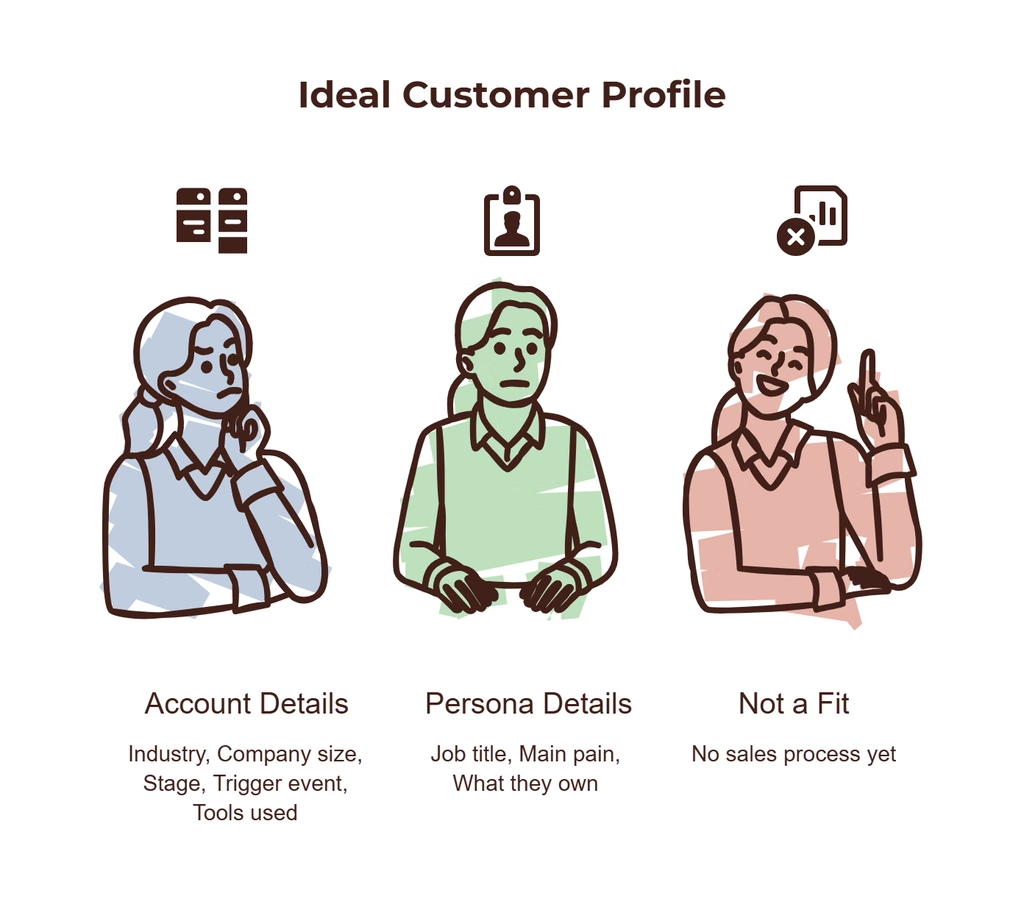
Most weak GTM plans fail here, because the target is too broad. “B2B companies that need better sales” is not an ICP.
Describe two levels:
The account (company): industry, size, stage, location, tools they use, and the situation that makes them need you.
The persona (person): job title, what they own, what they are measured on, and what frustrates them.
Template (fill in the blanks):
| Question | Your answer |
| Industry | e.g. B2B SaaS |
| Company size | e.g. 10 to 100 employees |
| Stage | e.g. Seed to Series B |
| Trigger events | e.g. recent funding, new sales hire, new product launch |
| Tools they use | e.g. HubSpot, Salesforce |
| Buyer title | e.g. Head of Sales, RevOps Lead, Founder |
| Their main pain | e.g. reps spend hours on manual list building |
| Who is NOT a fit | e.g. companies with no sales process yet |
Tip: look at your three best customers. What do they have in common? Start there, not with a guess.
Step 2: Write your positioning and value proposition
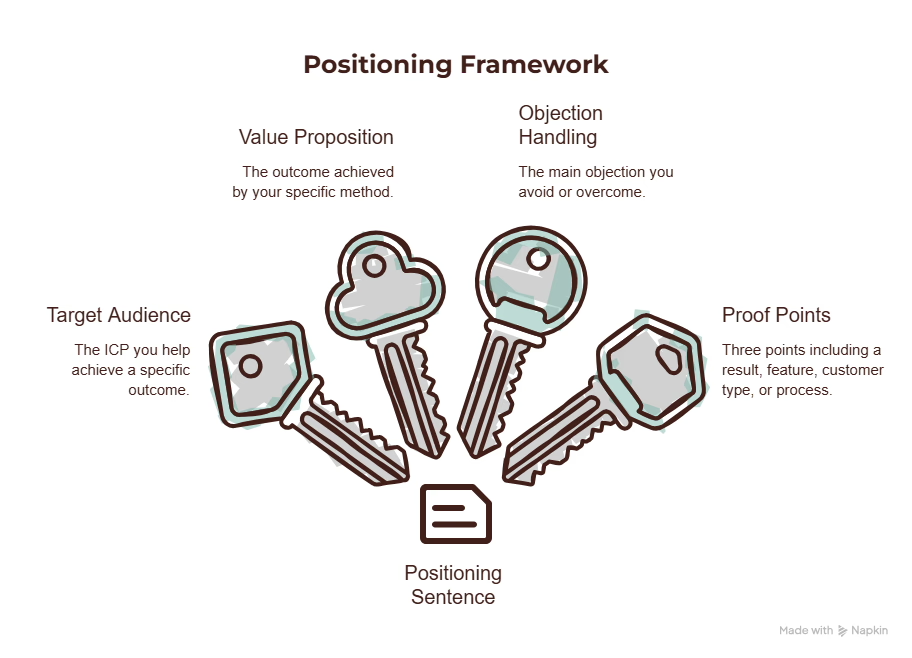
Positioning is how buyers understand where you fit. Keep it simple with one sentence:
We help [ICP] achieve [outcome] by [how], without [main objection].
Example (illustrative): We help seed-stage SaaS teams book more qualified demos by automating prospecting and outreach, without hiring more SDRs.
Then list three proof points you can truly stand behind: a result, a feature, a customer type, or a process. If you do not have results yet, use specifics about your method instead of invented numbers. Honest and specific beats impressive and vague.
Step 3: Choose your first one or two channels
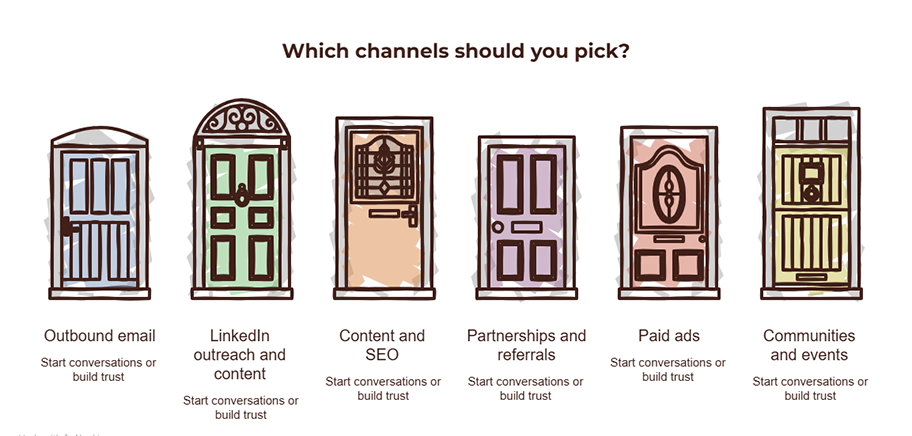
Early teams often try six channels and do none of them well. Pick one or two based on where your ICP already pays attention and how fast you can learn.
| Channel | Works well when | Watch out for |
| Outbound email | You know exactly who to target and can personalize | Deliverability and list quality |
| LinkedIn outreach and content | Buyers are active professionals and deals are considered | Slow to build, needs consistency |
| Content and SEO | Buyers research before buying | Takes months to show results |
| Partnerships and referrals | You serve a niche others also serve | Hard to control timing |
| Paid ads | You have a clear offer and budget | Costs rise fast without a tested message |
| Communities and events | Your buyers gather in known places | Time intensive |
Rule of thumb: one primary channel to generate conversations, one supporting channel to build trust. For most B2B SaaS teams with a clear ICP, that is outbound plus LinkedIn content.
Step 4: Build your data foundation
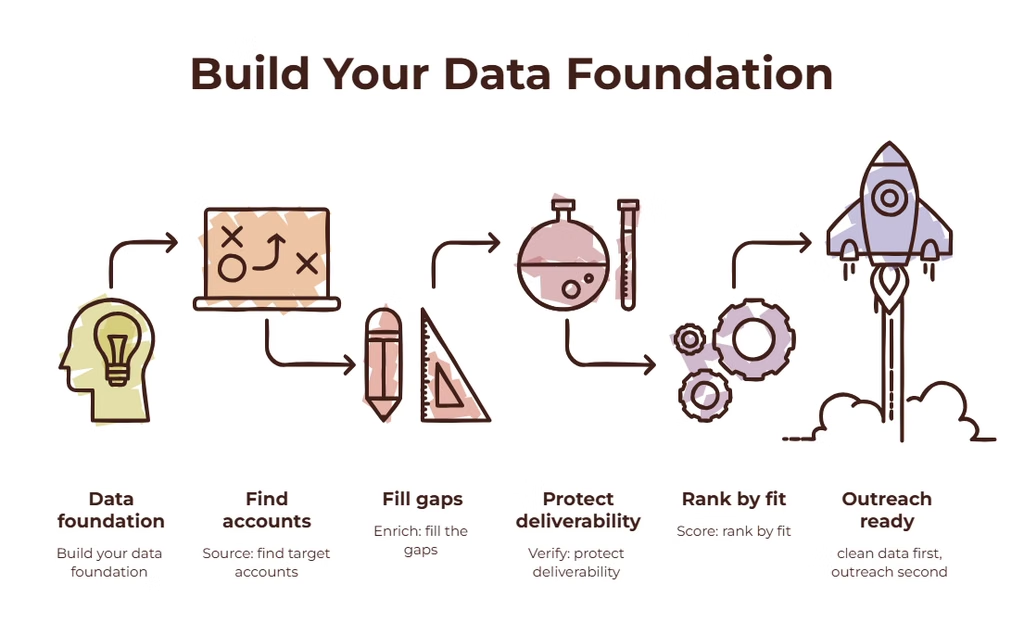
Every GTM motion depends on a clean list of the right accounts and contacts. This is also the most manual and error-prone step, which is why automation pays off here.
A solid data foundation has four parts:
- Sourcing: where do target accounts come from (databases, signals, communities, your CRM)?
- Enrichment: adding contact details, company details, and context. Tools like Clay let you query several data providers in sequence so gaps get filled automatically.
- Verification: checking emails before sending, to protect your sender reputation.
- Scoring: ranking leads by fit and buying signals so the team works the best ones first.
If you want to see how this works in practice, here is how I build it as a Clay Lead Engine.
Simple scoring example (illustrative):
| Signal | Points |
| Matches industry and size | 30 |
| Uses a target tool | 20 |
| Recently raised funding or hired for sales | 20 |
| Right job title | 20 |
| Visited your site or engaged with content | 10 |
Add the points. For example, 70 or above is “contact now,” 40 to 69 is “nurture,” and below 40 is “skip for now.” Adjust the numbers to your market.
Step 5: Craft your messaging and offer
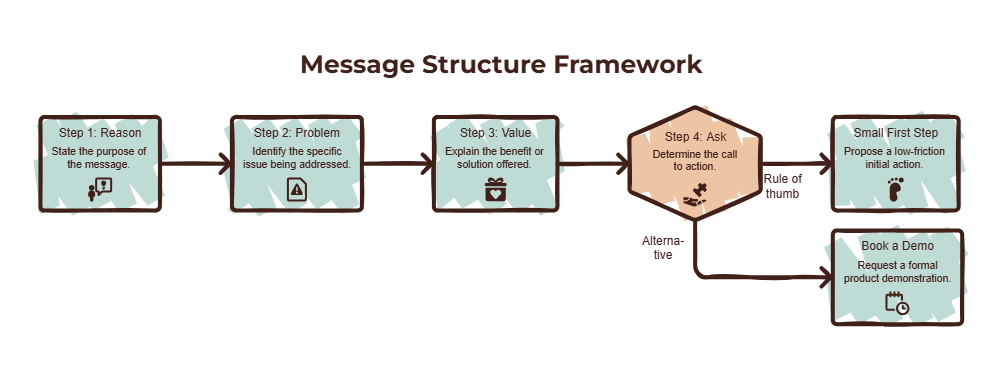
Good messaging is short, specific, and about the reader. A reliable structure for a first message:
- Reason for reaching out: a real, relevant observation about them
- Problem: what you think they might be dealing with
- Value: one line on how you help, with a proof point if you have one
- Low-pressure ask: a simple question or next step
Example (illustrative):
Hi [Name], saw that [Company] recently started hiring SDRs. Teams at that stage often find list building eats most of the week. We help SaaS teams automate prospecting so reps spend their time in conversations. Would it be useful if I sent over a short example of how that could look for [Company]?
Pay attention to the offer as much as the words. A small, easy first step (a short audit, a plan, a checklist) gets more replies than “book a demo.”
AI can help personalize first lines at scale, but always write the rules and examples yourself and read samples before sending. Read more about how I approach this in AI Outbound Systems.
Step 6: Design the sales process around the offer
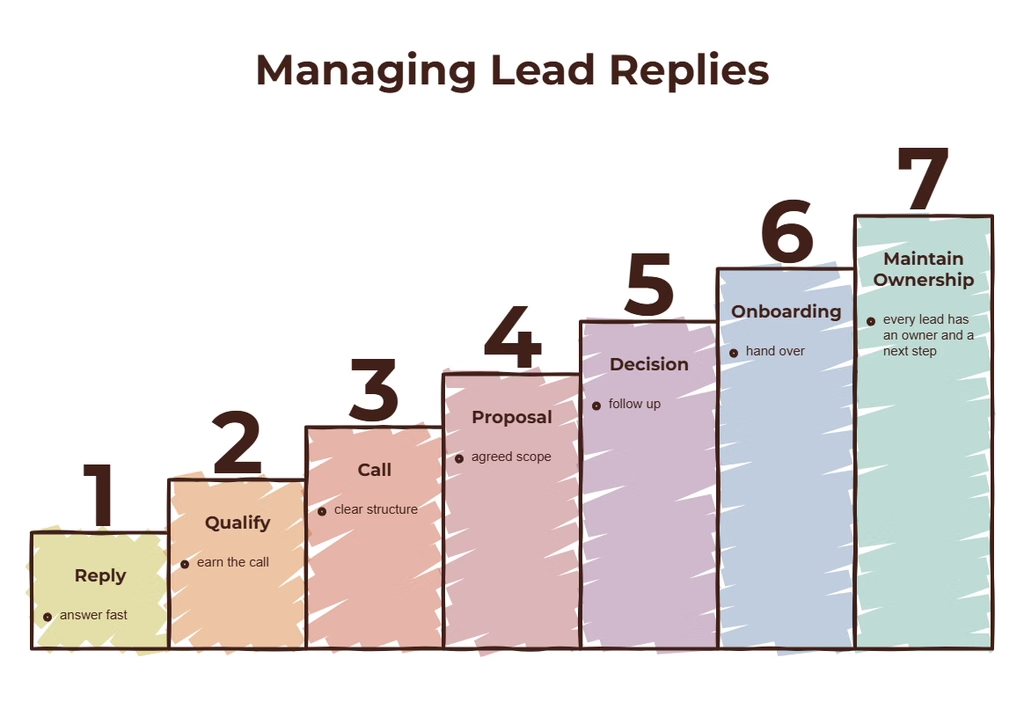
Decide what happens after someone replies:
- Who answers within what time frame?
- What qualifies a lead for a call?
- What is the call structure?
- What are the stages in your CRM, and what moves a deal forward?
- How do you follow up when someone goes quiet?
Write this as a simple flow: Reply, qualify, call, proposal, decision, onboarding. Even a rough version prevents leads from falling through gaps.
Step 7: Set up your tools and automation
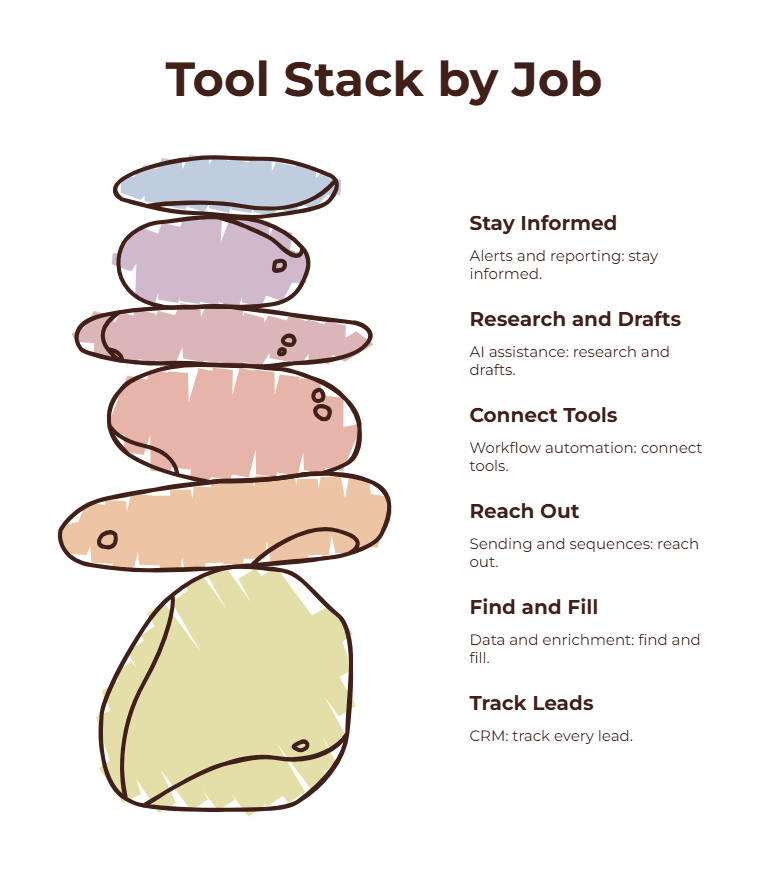
Keep the stack small. A typical early-stage setup:
| Job | Example tools |
| CRM | HubSpot or Salesforce |
| Data and enrichment | Clay and your data providers |
| Sending and sequences | A cold email or sales engagement tool |
| Workflow automation | n8n, Make, or Zapier |
| AI assistance | A large language model for research and drafts |
| Team alerts and reporting | Slack and a simple dashboard |
Automate the repetitive tasks first: list building, enrichment, lead routing, alerts, and weekly reports. Keep humans in charge of anything involving judgment, relationships, and final messaging. If you want help connecting your tools, see RevOps Automation.
Step 8: Choose the metrics that matter
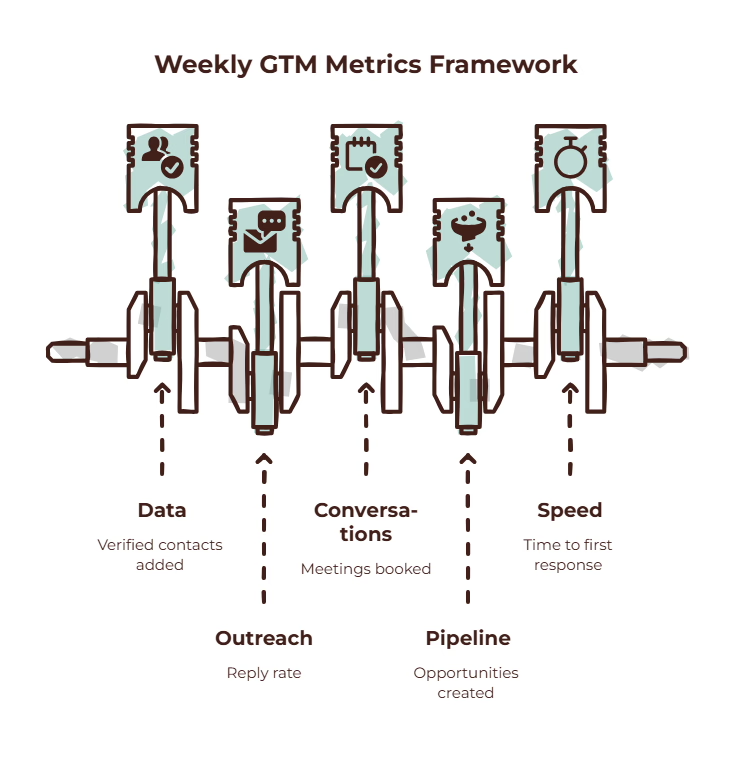
Track a small set of numbers every week:
| Stage | Metric |
| Data | Verified contacts added, cost per verified contact |
| Outreach | Emails sent, bounce rate, reply rate |
| Conversations | Positive replies, meetings booked |
| Pipeline | Opportunities created, pipeline value, win rate |
| Speed | Time from lead to first response |
Do not worry about benchmarks from other companies at first. Your own trend line is more useful. Is each number improving week by week?
Step 9: Put it into a 90-day plan
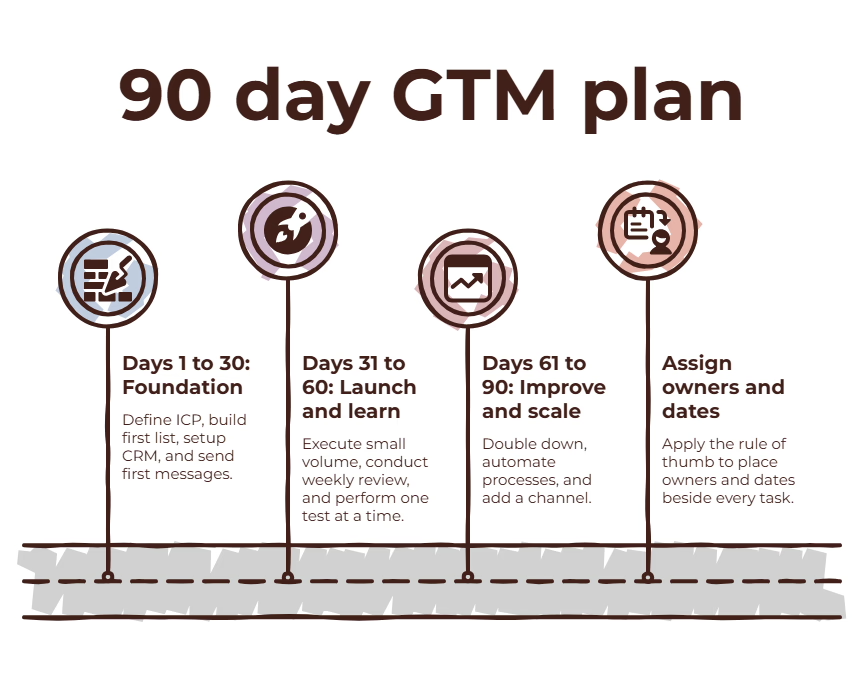
Break the work into three phases:
Days 1 to 30: Foundation
- Confirm ICP and positioning
- Build the first list of 200 to 500 target accounts
- Set up the CRM stages, tracking, and sending infrastructure
- Draft the first two message angles
Days 31 to 60: Launch and learn
- Start outreach at small volume
- Review replies and deliverability weekly
- Test one variable at a time (subject line, angle, offer)
- Fix the data and messaging gaps you find
Days 61 to 90: Improve and scale
- Double down on the angle that works
- Automate the manual steps you repeated
- Add a second channel
- Review the numbers and decide what to keep, change, or stop
Put owners and dates beside every task. A plan without names and dates is a wish.
Common mistakes to avoid
- Targeting everyone. A narrow ICP outperforms a broad one almost every time.
- Buying tools before defining the process. Tools amplify a process, good or bad.
- Skipping list quality. Bad data hurts your reputation and wastes effort.
- Writing for yourself, not the buyer. Talk about their situation first.
- Changing everything at once. If you change five things, you will not know what worked.
- Measuring activity instead of outcomes. Emails sent matter less than conversations and pipeline.
- Expecting instant results. Most channels need several weeks of learning.
A one-page GTM plan template
Copy this into a doc and fill it in:
| Section | Your answer |
| ICP (account and persona) | |
| Positioning sentence | |
| Three proof points | |
| Primary channel | |
| Supporting channel | |
| Data sources and enrichment steps | |
| Scoring rules | |
| Message angle 1 and angle 2 | |
| First offer / call to action | |
| Sales process stages and owners | |
| Tools and automations | |
| Weekly metrics | |
| 30, 60, and 90 day goals |
Where AI and automation fit
Used carefully, AI saves the most time on research, enrichment, first-draft personalization, routing, and reporting. It saves the least time on strategy, positioning, and relationship building, which still need human judgment.
If your plan is clear and your list and process are in place, automation can make it faster and more consistent. If the plan is unclear, automation will only make the confusion happen faster. That is why I usually start with a GTM Audit and Roadmap before any build work.
Frequently asked questions
How long should a GTM plan be?
One to two pages is enough for an early-stage team. If it is longer, you are likely writing a report instead of a plan.
How often should I update it?
Review it monthly and revise it fully every quarter, or whenever your product, market, or results change meaningfully.
Can I build a GTM plan without a big budget?
Yes. Start with one channel, a small list, and a simple tool stack. Learning quickly matters more than spending heavily.
Do I need AI tools to run a GTM plan?
No. AI and automation help you work faster and more consistently, but the plan itself comes from clear thinking about your customer.
What is the difference between a GTM plan and a marketing plan?
A marketing plan focuses on awareness and demand. A GTM plan covers how the whole company finds, wins, and keeps customers, including sales, data, tools, and metrics.
When should I get outside help?
When you have a clear ICP but limited time, or when manual work is slowing your team down. An outside expert can build the systems while your team focuses on selling.
Want a second pair of eyes?
If you would like help turning this into a working system for your business, I would be glad to talk it through. There is no pressure at all.
Book a Call
Or write to me at [email protected].
