

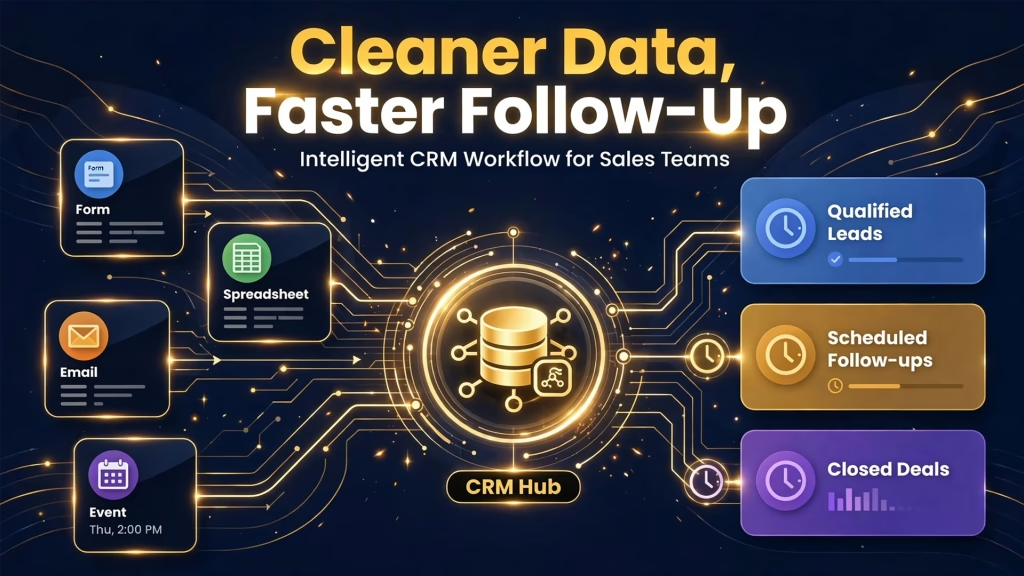
TL;DR: A sales team was losing hours every week to fragmented lead data scattered across forms, spreadsheets, event lists, and the CRM. I built an intelligent CRM workflow for sales teams using n8n, APIs, and Claude. It unifies incoming leads, enriches and segments them automatically, and runs follow-up logic that keeps no lead forgotten. Admin time per rep fell from about 7 hours a week to 1.5, record completeness rose to 91%, and on-time follow-up climbed to 93%.
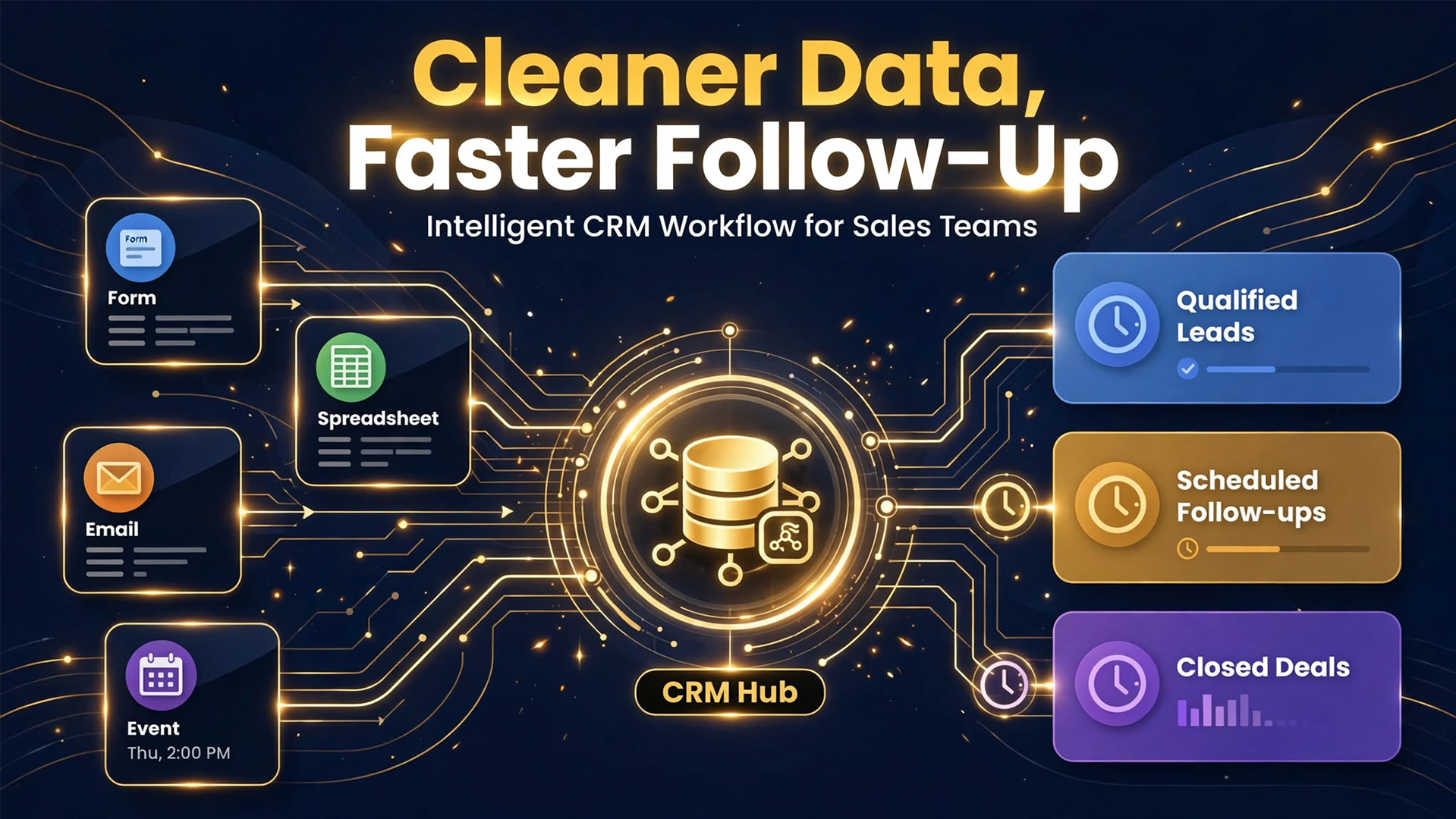
An intelligent CRM workflow for sales teams is an automated system that keeps CRM data clean, complete, and organized, then triggers the right next step for each lead. In this case study, I explain the business problem, how I designed the workflow, and how a similar setup could make your pipeline easier to manage.
Project snapshot
| Category | Sales automation |
| My role | Sole consultant: process mapping, workflow design, integration, prompt design, testing, handover |
| Timeline | 5 weeks |
| Stack | APIs, CRM, n8n, Claude |
| Deliverable | CRM-connected AI workflow for lead enrichment, segmentation, and automated follow-up logic |
| Designed outcome | Improved lead organization and operational efficiency |
The business problem: sales teams lost time managing fragmented lead data
Leads came from many places, and none of them agreed with each other:
- Data lived in five places. Web forms, event spreadsheets, partner lists, inbox replies, and the CRM each held part of the picture.
- Reps did the cleanup. Copying, merging, and fixing records took about 7 hours per rep each week.
- Records were incomplete and duplicated. Only 46% of records had the key fields needed for segmentation, and about 14% were duplicates.
- Segmentation was manual and inconsistent. Reps tagged leads by hand, so the same type of lead ended up in different lists.
- Follow-ups slipped. Without reliable reminders, only 54% of follow-ups happened on time and many older leads went cold unnoticed.
The cost was wasted selling time, messy reporting, and revenue lost to leads that no one followed up.
Goals and constraints
Goals:
- Combine all lead sources into one clean CRM record per lead
- Enrich and segment leads automatically
- Trigger consistent follow-up so no lead is forgotten
Constraints:
- Reps stay in control of anything sent to a prospect
- The workflow had to work with the existing CRM and tools
- It had to handle API limits and failures without losing data
My approach: unify, enrich, segment, then orchestrate
I built the intelligent CRM workflow for sales teams as five connected layers, orchestrated in n8n.
Layer 1: Ingest and unify
n8n collects leads from forms, event lists, partner files, and email through webhooks and scheduled imports. Each lead is converted to a standard format, then matched against the CRM by email and company domain. The CRM API creates or updates the record, so existing contacts are never duplicated.
Layer 2: Enrich the record
External data APIs fill in missing company and contact details. Claude cleans what rules cannot: it standardizes job titles, infers industry and persona from free text, and summarizes rep notes into a short, consistent profile.
Layer 3: Segment automatically
Clear rules assign the obvious segments, such as region and company size. Claude handles ambiguous cases, such as an unusual job title, using a fixed list of allowed segments and a structured output. Every lead receives a persona, industry segment, lifecycle stage, and interest tag in the CRM.
Layer 4: Automated follow-up logic
Follow-up now runs on rules tied to each segment:
- New leads get a task for the owner and a draft message prepared for the rep to review and send
- Leads with no activity after a set number of days trigger a reminder
- Stale leads are flagged for a reactivation play
- Everything stops automatically when the lead replies or books a meeting
Claude drafts messages from the lead profile, but reps approve before anything is sent.
Layer 5: Monitoring and reliability
The workflow retries failed API calls, logs every run, and alerts the team in Slack when something breaks. A weekly data quality report shows completeness, duplicates, and overdue follow-ups.
Step-by-step build
- Map every lead source and field with the sales and operations leads, and agree on one standard record format.
- Design the segmentation scheme and follow-up rules, including stop conditions and frequency limits.
- Build the ingestion and deduplication flow in n8n with CRM API upserts.
- Add enrichment and Claude-based cleanup with strict structured outputs.
- Build the segmentation and follow-up orchestration, including task creation and draft messages.
- Add monitoring, run a two-week pilot with three reps, fix issues, and roll out to the team.
Tech stack
- n8n: orchestrates ingestion, enrichment, segmentation, follow-up, and monitoring
- CRM and CRM APIs: single source of truth, with create-or-update logic that prevents duplicates
- Data enrichment APIs: fill missing company and contact fields
- Claude: normalizes titles, infers segments, summarizes notes, and drafts follow-up messages for review
Results
| Metric | Before | After |
| Admin time per rep per week | 7 hours | 1.5 hours (about 44 team hours saved weekly) |
| Records with complete key fields | 46% | 91% |
| Duplicate records | 14% | Under 1% |
| Leads segmented automatically | 0% | 95% |
| Follow-ups completed on time | 54% | 93% |
| Overdue follow-ups per week | 38 | 4 |
| Stale leads reactivated per month | Not tracked | 35 |
The biggest change was operational. Reps now spend their time selling because the CRM keeps itself organized.
Challenges and what I would improve
Challenge 1: Inconsistent source data. Each source used different field names and formats. I created a standard schema and a mapping layer, so new sources can be added without changing the core workflow.
Challenge 2: API limits and failures. Bulk imports hit rate limits, and a few calls failed midway. I added queuing, retries, and idempotent updates, so running the same lead twice never creates a duplicate.
Challenge 3: Over-automation risk. Early follow-up rules would have contacted some leads too often. I added frequency caps, stop conditions, and rep approval on all prospect-facing messages.
Next improvement: connect closed-won and closed-lost outcomes back to segmentation, so the workflow learns which segments convert best.
Key takeaways
- Clean data is the foundation. Automation built on messy records only creates faster mess.
- Use rules for clear cases and AI for ambiguous ones, with strict structured outputs.
- Follow-up automation needs stop conditions and human approval to protect the prospect experience.
Frequently asked questions
What is an intelligent CRM workflow for sales teams?
It is an automated system that unifies lead data, enriches and segments it, and triggers consistent follow-up inside the CRM, so reps spend less time on admin.
Why use n8n for CRM automation?
n8n connects the CRM, data APIs, AI models, and messaging tools in one visual workflow, with retries, logging, and the option to self-host.
Does the AI send messages to prospects on its own?
No. Claude drafts messages from the lead profile, and the rep reviews and approves before anything is sent.
How is this different from lead scoring and routing?
Lead scoring and routing decides who gets a new lead and how fast. This workflow keeps the data clean and the follow-up consistent after the lead is in the CRM. They work well together.
How long does it take to build an intelligent CRM workflow for sales teams?
For a focused setup like this one, about five weeks from mapping to rollout.
Want an intelligent CRM workflow for your sales team?
- Business owners and sales leaders: Book a 20-minute workflow audit and I will show where messy lead data is costing your team time and revenue.
- Recruiters and hiring teams: View my resume or contact me about remote AI automation and RevOps roles.
